K1 & K2 Learning Apps: A Singapore Parent's Complete Guide (2026)
Everything Singapore parents need to know about choosing a learning app for K1 and K2 children. What to look for, how to use apps effectively, and which apps align with the MOE NEL curriculum.
QuizKin Team
Published 26 April 2026
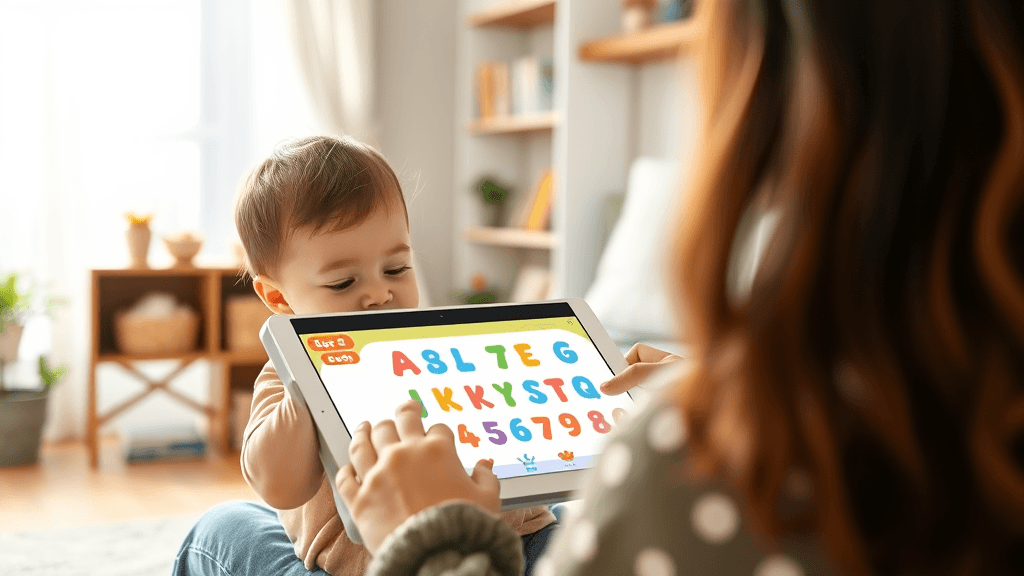
Learning apps for young children have exploded in number over the past five years. A search for "kids learning app" returns thousands of results, many of them high quality, but almost none of them designed for Singapore's K1-K2 curriculum.
TL;DR: Everything Singapore parents need to know about choosing a learning app for K1 and K2 children. What to look for, how to use apps effectively, and which apps align with the MOE NEL curriculum.
This guide is specifically for Singapore parents. It explains what K1 and K2 children need to learn, how to evaluate whether a learning app will genuinely help, and how to use apps as part of a balanced learning routine that prepares your child for Primary 1.
What K1 and K2 Children Need to Learn
Singapore's Ministry of Education Nurturing Early Learners (NEL) framework sets out six learning areas for kindergarten:
1. Aesthetics and Creative Expression — Art, music, drama, movement
2. Discovery of the World — Science, social studies, community, environment
3. Language and Literacy — English, mother tongue language
4. Motor Skills Development — Gross motor, fine motor, physical health
5. Numeracy — Numbers, patterns, measurement, spatial sense
6. Social and Emotional Development — Self-awareness, relationships, character
Learning apps typically address Language and Literacy and Numeracy most effectively. These are also the areas where structured practice has the clearest impact on K1-K2 outcomes.
Language and Literacy: What K1-K2 Children Need
By the end of K2, children should be able to:
- Recognise all 26 uppercase and lowercase letters
- Know the sounds associated with each letter
- Blend simple consonant-vowel-consonant (CVC) words
- Read and write common sight words from the MOE list
- Recognise basic punctuation marks
- Write simple sentences
- Speak clearly in complete sentences
In Mandarin (for children learning Chinese):
- Recognise and read K1-K2 level Chinese characters
- Write characters with correct stroke order
- Understand and use common Mandarin vocabulary
Numeracy: What K1-K2 Children Need
- Count and recognise numbers up to 20 (K1) and 100 (K2)
- Understand more and less, bigger and smaller
- Recognise and name common 2D and 3D shapes
- Identify patterns and continue them
- Compare and measure objects informally
- Begin to understand addition and subtraction within 10
A good learning app can support all of these areas, but phonics, sight words, and number recognition are where app-based practice tends to have the most direct impact.
How to Evaluate a K1-K2 Learning App
Use these five questions to assess any app before committing:
Question 1: Is the content aligned with Singapore's K1-K2 curriculum?
Apps built for American or British markets cover similar topics but not the same content in the same sequence. Specifically check:
- Does it use British English pronunciation (not American)?
- Does it include MOE sight word lists, or a different country's sight word list?
- Does the numeracy content match what Singapore schools teach at K1-K2 level?
- Does it include Chinese or bilingual content if relevant for your child?
Question 2: Is the app built for the right age?
Some apps that say "ages 3-8" present content that is too advanced for K1 children or too simple for K2. Look for:
- Touch targets large enough for small fingers
- Audio instructions so non-readers can use the app independently
- Session lengths of 10-15 minutes, not 45-minute programmes
- Visual complexity appropriate for a 4-6 year old
Question 3: Does the app adapt to your child's level?
An app that presents the same content to every child regardless of what they already know is less effective than one that tracks progress and focuses practice on areas that need work. Adaptive learning means:
- Topics your child has mastered appear less frequently
- Topics they are struggling with get more practice time
- The app does not progress to more difficult content before the child is ready
Question 4: Can you see your child's progress?
A parent dashboard is not a luxury — it is how you reinforce app learning in everyday life. When you know your child has been practising the digraph "sh" in the app, you can point out "sh" words in books, on signs, and in conversation. This transfer from app to real world is what makes the learning stick.
Question 5: What does your child think?
This sounds obvious but is often overlooked. An app your child refuses to use after three days has zero educational value, however well-designed it is. Let your child try the app for a week before evaluating whether to continue. Watch whether they choose to open it voluntarily, or only use it when prompted.
Types of Learning Apps for K1-K2 Children
Not all learning apps work the same way. Understanding the different types helps you choose the right mix:
Quiz and Practice Apps
These apps present questions and activities for children to answer. They are excellent for drilling specific skills — letter sounds, sight words, number recognition — through repetition with immediate feedback.
Best for: Building accuracy and automaticity in foundational skills. Children need to recognise letters, numbers, and sight words quickly and effortlessly for reading and maths to become fluent.
Example: QuizKin uses a quiz engine that adapts to your child's accuracy and speed, drilling the specific letter sounds and sight words they need more practice with.
Story and Reading Apps
Interactive e-books where children tap words to hear them read aloud, or where the story responds to touch. These build vocabulary, comprehension, and a love of reading.
Best for: Building listening comprehension, vocabulary, and familiarity with how stories work. Less effective for systematic phonics instruction.
Examples: Epic! and Readmio offer extensive libraries of children's books with read-aloud features.
Tracing and Writing Apps
Apps that guide children through letter and number formation using touchscreen tracing. These build the motor memory for letter shapes and stroke sequences.
Best for: Handwriting readiness and learning letter/character formation before pencil-on-paper work.
Example: QuizKin includes English letter tracing (A-Z, uppercase and lowercase) and Chinese character tracing with correct stroke order.
Maths Exploration Apps
Interactive environments where children explore number concepts through manipulation of virtual objects — counting, sorting, building number lines.
Best for: Building conceptual understanding of number, rather than drilling arithmetic.
Examples: Mathseeds and Todo Math offer Singapore-relevant numeracy content.
Broad Learning Platforms
All-in-one platforms that try to cover everything: literacy, maths, science, and more. Convenient but sometimes less deep than specialised apps.
Best for: Parents who want one app to cover multiple subjects rather than managing multiple apps.
Example: Khan Academy Kids offers broad K1-K2 coverage for free, though not Singapore-aligned.
Building a Learning Routine Around Apps
Apps work best when they are part of a structured routine rather than used randomly. Here is a simple weekly structure that Singapore parents of K1-K2 children have found effective:
Monday–Friday (school days)
After school, before homework or free play (10-15 minutes):
Open the learning app and complete one session. This works better than before bed because the child still has mental energy and the session can be reviewed with a parent who is often home from work.
Topics to prioritise:
- The letter sounds or sight words covered in school that week
- Any areas the parent dashboard shows need more work
At bedtime (15-20 minutes):
Read a physical book together. This is not screen time and not structured practice — it is the relationship between parent and child around books that builds a genuine love of reading. No app replaces this.
Weekends
One day: Revisit the week's app content. Focus on anything the analytics dashboard flagged as needing more practice.
One day: Break from structured learning. Unstructured play, outdoor time, or creative activities. Rest and free play are not wasted time — they are essential for child development.
How QuizKin Supports K1-K2 Learning in Singapore
QuizKin was designed from the ground up for Singapore K1-K2 children. Here is how it addresses the specific needs of this age group:
Phonics coverage: All 26 letter sounds, 9 digraphs (sh, ch, th, wh, ph, ng, ck, qu, x), CVC blending, and sight words from MOE-aligned lists. Every sound is recorded by a professional voice artist using British English pronunciation.
Adaptive quiz engine: Tracks accuracy across all topics and adjusts which questions appear based on what your child needs to practise. Letters and words they know appear less often; ones they struggle with appear more.
Bilingual support: English and Chinese categories cover both languages, useful for children in bilingual preschools or homes where Mandarin is spoken.
Letter and character tracing: Uppercase and lowercase English letter tracing plus Chinese character tracing with correct stroke order animation.
Parent analytics dashboard: Session history, accuracy by category, and time-spent data help parents see exactly where their child is doing well and where they need more support.
Face recognition login: Children log in with a smile — no passwords or PINs for a 4-year-old to remember. Each family can set up multiple child profiles.
Free tier available: The free plan covers one child, three quizzes per day, and core phonics and numeracy categories. It is enough to genuinely evaluate whether QuizKin works for your child.
Create a free account at quizkin.com →
Frequently Asked Questions from Singapore Parents
See the FAQ section below for answers to common questions about learning apps, screen time guidelines, and curriculum alignment.
Further Reading
If you found this guide useful, these related articles cover specific areas in more depth:
- Phonics for Preschoolers: Letter Sounds & Blending — how to teach phonics at home
- Sight Words for K1 & K2 — the MOE sight word list and how to practise at home
- MOE NEL Framework: A Guide for Parents — what the NEL framework means for your child's learning
- Screen Time Guidelines for Preschoolers in Singapore — HPB recommendations and how to balance screen time
Looking for more? Check out find a tutor for free on TuitionLah.
Exploring parenthood in Singapore? Visit ParentLah for practical tips on raising kids in Singapore.
Practise what you've read with QuizKin
Adaptive quizzes covering phonics, sight words, numbers, and more — aligned with the Singapore MOE curriculum. Free for one child.
Frequently Asked Questions
The best learning app for K1 children in Singapore is one that aligns with the MOE NEL framework, uses British English pronunciation, covers phonics and sight words, and gives parents visibility into their child's progress. QuizKin is designed specifically for Singapore K1-K2 children with these criteria in mind.
The Health Promotion Board Singapore recommends no more than 1 hour of recreational screen time per day for children aged 5-17. For K1-K2 children (ages 4-6), educational screen time should ideally be 15-20 minutes per session, making the total educational app use well within daily limits when used as recommended.
This depends on your home language environment and your child's school. If your child attends a bilingual preschool and is learning Mandarin, a bilingual app that covers both English and Chinese (like QuizKin) provides more complete support. If English literacy is the priority, an English-focused app with deep phonics coverage is more valuable than a shallow bilingual one.
It is absolutely not too late. K2 is an appropriate age to consolidate phonics skills, and many children need extra practice at this stage. Consistent, short daily sessions (10-15 minutes) with a good phonics app can make a significant difference in 6-8 weeks. Focus on the specific sounds your child is struggling with rather than starting over from the beginning.
The MOE Nurturing Early Learners (NEL) framework is Singapore's national curriculum guide for children from birth to K2. It sets out what children should know and be able to do across six learning areas including language and literacy. A learning app aligned with NEL covers the right content in the right sequence for Singapore kindergartens, ensuring your child's app practice reinforces what they are learning in school.
Ready to make learning fun?
QuizKin turns screen time into learning time with adaptive quizzes built for K1-K2 kids in Singapore. Free to start.
Related Articles
Primary 1 Registration 2026 Singapore: Phases, Dates & Complete Guide
Complete guide to P1 registration 2026 in Singapore — phases, key dates, documents needed, balloting process, school selection tips, and how to prepare your child academically.

Building Good Study Habits in Kindergarten: A Singapore Parent's Guide
How to build lasting study habits in K1 and K2 children — without pressure or tears. Evidence-based strategies tailored for Singapore families.

Is My Child Ready for Preschool? Singapore K1 Readiness Checklist (2026)
Use this practical K1 readiness checklist to confidently prepare your 4-6 year old for Singapore preschool — with tips on social, cognitive, and learning skills.